Quick Answer
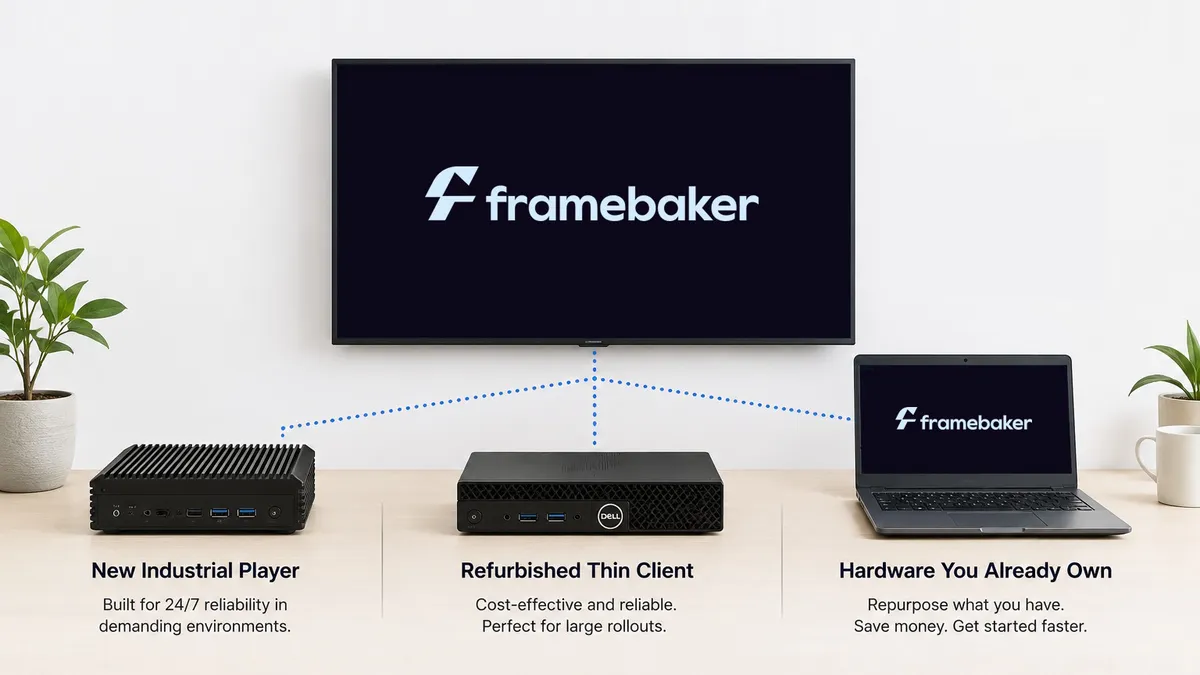
With Framebaker, you’re free to choose the hardware that fits your budget and deployment. Use a new industrial player, a refurbished thin client, or compatible hardware you already own, without being locked to a proprietary device, as long as it meets the minimum requirements. Because you aren’t tied to one proprietary player, you can reduce hardware costs, reuse existing equipment, or source devices competitively. One platform, three ways to source the hardware underneath it.
Why Flexibility Matters
A device goes out of stock. A vendor changes their lineup. A customer already has TVs on the wall and doesn’t want new ones. A rollout across ten locations stalls because one supplier can’t deliver enough units in time.
None of that is a software problem. It’s a hardware problem, and it shapes how smoothly a deployment actually goes.
When a rollout is delayed, it’s often because hardware isn’t available, not because the signage software can’t do its job.
Framebaker’s answer is to not force a single path. Any compatible Intel-based device works, so the hardware decision fits the budget and timeline instead of the other way around.
Three Ways to Get a Compatible Player
New industrial or signage-grade hardware. Compact, fanless industrial mini PCs built for 24/7 operation, from vendors such as AOpen, are the safest choice for demanding environments: long operating hours, portrait mounting, or outdoor-adjacent installs. They cost more than repurposed hardware but need the least babysitting over a multi-year deployment.
Refurbished thin clients. Used or refurbished thin clients, from vendors such as Dell, HP, and Lenovo, can run Framebaker Player at a fraction of the cost of new hardware. For a rollout across many screens, this is often the most cost-effective way to scale without waiting on new-hardware lead times, as long as the unit still meets the minimum spec.
Hardware you already own. An old laptop, a spare desktop, or leftover equipment from a previous setup can be repurposed immediately. If it passes the built-in hardware check, it’s ready to deploy. Nothing to buy, nothing to wait for.
You Probably Don’t Need New Displays
The player is only one part of a digital signage installation. In many cases, the display can stay exactly as it is. Framebaker works with standard TVs and commercial displays over HDMI, so replacing perfectly good screens is often unnecessary. Commercial signage displays remain the better choice for environments that require continuous operation, portrait orientation, or higher brightness, but they aren’t a requirement for getting started.
If It Passes, It’s Supported
Every path runs through the same built-in hardware check in the installer. It confirms the processor, memory, storage, and other system requirements before setup completes, so compatibility is verified before a device goes into production, not discovered after a screen goes dark.
If a device passes, it’s supported. If it doesn’t, that’s known before installation, not after.
No Forced Purchase, No Lock-In
Different sites can run different, compatible devices, sourced however makes sense for that location, without breaking the deployment or requiring separate management. Framebaker is software only; there’s no proprietary hardware bundle to buy into.
Learn more → Why Wrong Information Is Worse Than Downtime
Final Thought
Hardware shouldn’t dictate your digital signage strategy. By supporting standard Intel-based devices, Framebaker lets you choose the hardware that fits your budget, your timeline, and your environment, while the installer verifies compatibility before deployment.
See Framebaker in your browser
No installation. No sales call. Start managing screens in minutes.
Frequently Asked Questions
Which player hardware does Framebaker support?
Framebaker supports player hardware with an Intel 8th generation or newer processor, at least 4GB of RAM, at least 16GB of storage (eMMC, SSD, or HDD), and a standard Ethernet or Wi-Fi network card. The installer includes a built-in hardware check to confirm your device is compatible before installation.
Can I use hardware I already own?
Yes. As long as it meets the minimum requirements, you can supply your own player. The installer's built-in hardware check confirms compatibility during setup, so you know before you commit to a rollout.
Do I need a specialist digital signage screen?
No. In most cases you can use an existing television or commercial display with an available HDMI input. A specialist signage display is not required, although commercial displays may be a better fit for long operating hours, portrait mounting, or demanding environments.
Does Framebaker sell its own hardware?
No. Framebaker is software only, and there are no plans to sell hardware bundles. The strategy is to work with the wide range of compatible devices customers can already source or already own.
Why doesn't Framebaker require a proprietary player?
Requiring one specific device creates a dependency on a single supplier's price, availability, and lead time. Supporting standard, widely available hardware means customers can source players competitively and are not blocked by one vendor's stock.
Related Articles
Framebaker
Ready to eliminate wrong information from your screens?
Modern digital signage built for reliability, simple management, and scalable deployment. Try it in your browser, no sales call required.