Quick Answer
In digital signage, outdated or incorrect content almost always causes more damage than a black screen. Downtime is visible: it signals a problem. Wrong information looks operational, so customers and staff trust it and act on it. The consequences move from the screen into the real world: wrong orders placed, visitors arriving at the wrong time, staff ignoring their own displays.
Silent content failures are the biggest reliability risk most signage operators never measure.
Why Wrong Information Causes More Damage Than Downtime
When a screen goes dark, something important happens: everyone knows.
Staff notice. Customers see the gap. Someone files a ticket. The failure is obvious, urgent, and actionable.
Wrong information works in reverse. The screen is on. It looks professional. It looks finished. People trust it. And then they act on it.
Consider how quickly these scenarios compound:
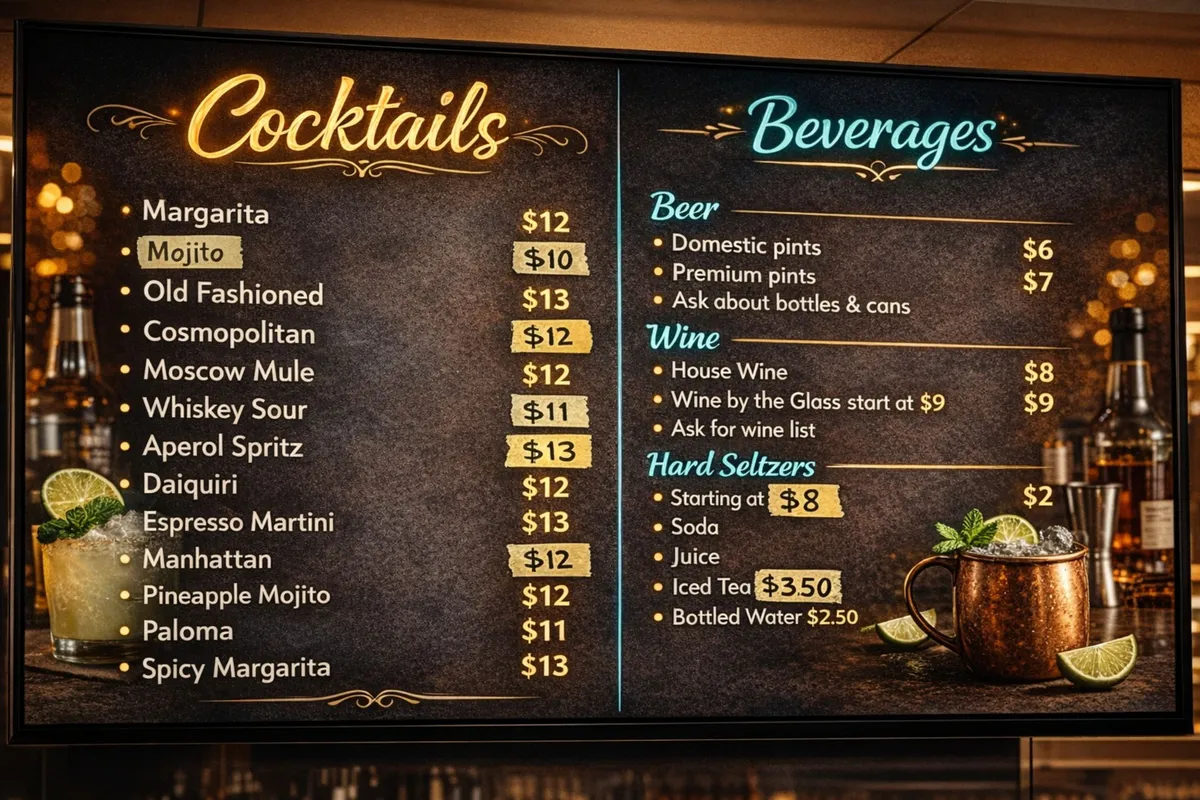
- Wrong menu prices: customers order based on what the screen shows, then dispute the bill at the register
- Expired promotions: a campaign ended three days ago, but the display is still running it; staff have to apologise and override it manually
- Incorrect meeting room information: visitors walk into the wrong room, interrupting a live session; the front desk gets blamed
- Outdated transport directions: a venue entrance moved, but the wayfinding display never updated; dozens of people go the wrong way
- Stale announcements: a safety notice from six months ago still runs on rotation, diluting the authority of current communications
None of these require a hardware failure. The devices are functioning perfectly. The problem is entirely in the content layer, invisible until someone catches it.
Why Silent Failures Happen
Most signage operators think about reliability in terms of hardware: the screen must stay on, the player must stay connected. That framing misses the most common failure mode.
Silent content failures happen because:
Content is updated in one place but not another. A price change is made in the POS system but not pushed to the signage. A website is updated but the display template is separate. Two systems, one update, no sync.
Scheduling drifts. A campaign runs until Friday. Monday morning, someone is busy. The campaign keeps running until Wednesday. No alarm fires because technically nothing is broken.
Players stay online but show stale content. This is the subtlest failure. A device pings as healthy. It is playing back content. But the content is from three days ago because a network blip prevented the last sync, and no one verified the actual render.
Workflows depend on human memory. The most fragile reliability mechanism in any system is “someone will remember to do it.” When the person who remembered is on leave, the display is forgotten.
Paper patches become permanent. Someone tapes a correction over the wrong price. Staff learn to ignore screen 4. A location manager adds a verbal caveat every time customers look at the display. The workaround normalises the failure.
How Modern Platforms Prevent This
The shift from legacy signage software to modern platforms changes where reliability is enforced.
Legacy systems treat playback as the endpoint: if the device is playing something, the system is healthy. That is a technically narrow definition that most operators eventually discover is insufficient.
Modern platforms enforce reliability across three layers:
1. Content workflow integrity Changes go through structured workflows rather than direct file uploads. When content is approved, it is staged and verified before it goes live. Non-technical team members can update specific fields (a price, a room name, a date) without touching the template or breaking the layout.
2. Delivery verification The platform confirms not just that a device is online, but that it rendered the current content version. If a device is behind, it surfaces as a warning before it becomes a customer-facing problem.
3. Scheduling that behaves predictably Campaigns have hard end dates. Content does not keep running because no one turned it off. Scheduled changes happen at the right time even if no one is watching the dashboard at that moment.
These are not advanced features. They are the baseline for what reliable signage should look like.
How Framebaker Approaches Reliability
Framebaker is built around the idea that reliability in digital signage is not about keeping screens on. It is about keeping public information trustworthy.
That distinction shapes how the platform works:
Simple update tools reduce the surface area for error. When updating content requires fewer steps and less technical skill, fewer things go wrong. Non-technical teams can manage their own content without creating new risk.
Real-time content verification goes beyond uptime pings. Framebaker tracks what is actually rendering on each display, not just whether the device is reachable. That means content drift is visible before customers see it.
Reliable hardware supports reliable software. Running signage on purpose-built industrial players designed for continuous 24/7 display, rather than repurposed consumer devices, removes a layer of unpredictable failure. Framebaker supports this hardware for exactly this reason.
Deployments stay simple at scale. A signage system that is easy to manage across five screens should be easy to manage across fifty. When operational complexity grows faster than the screen count, teams start cutting corners. That is when content drift begins.
The goal is a system where correctness feels normal. Not heroic. Not manual. Not dependent on the right person being available.
A black screen is a visible failure.
Wrong information is a credibility failure.
And credibility is harder to recover.
That is why the best digital signage systems are not just designed to display content. They are designed to reduce doubt, eliminate silent failures, and help teams trust what is on screen, every time, at every location.
When a screen shows the wrong information, people act on it.
That is the more serious failure.
In digital signage, downtime is visible. A broken screen is obvious to staff, obvious to customers, and usually obvious to anyone responsible for fixing it. It creates friction, but it also creates urgency. People know something is wrong.
Incorrect content is different.
A menu board with outdated prices.
A lobby screen with the wrong opening hours.
A meeting room display showing the wrong booking.
A transport screen pointing people in the wrong direction.
Those failures do not always look broken. They look operational. They look finished. They look trustworthy.
That is exactly the problem.
A broken screen causes doubt. Wrong information creates false confidence.
In public-facing systems, trust matters more than appearance.
A black screen may be frustrating, but it usually tells the truth: this system is currently unavailable.
Wrong information sends the opposite signal. It tells people the system is working, even while it is failing. That creates a more expensive kind of mistake, because the failure moves from the screen into the real world.
People order based on the displayed price.
Visitors arrive based on the displayed schedule.
Staff stop questioning the system because it still “looks live.”
The damage is no longer technical. It becomes operational.
Why this happens more often than teams expect
Most digital signage failures are not dramatic.
They are not always GPU crashes, dead devices, or full network outages. In practice, many signage problems are quieter than that:
- content was updated in one place but not another
- a schedule changed, but the published display did not
- a manual correction was added on paper and never removed
- a player stayed online, but was showing stale content
- a workflow depended on someone remembering one extra step
This is where many teams get misled.
They think the system is healthy because the screen is on.
But playback alone is not reliability.
A signage platform is only reliable if the right content appears, at the right time, in the right place, without requiring constant human correction. That is much closer to the real operational standard businesses need, especially across multiple screens or locations.
The hidden cost of “almost correct”
Wrong information often survives because it feels manageable.
A team member tapes a correction over a price.
Someone tells staff to ignore that one display.
A location manager knows which screen is unreliable and works around it.
This keeps the problem alive.
Once the organisation adapts around the flaw, the pressure to fix the underlying issue drops. The signage system becomes something people work around instead of something they trust.
That is how operational debt forms.
And in digital signage, operational debt tends to be visible to customers long before it appears in any dashboard.
Reliable signage is not about perfect uptime metrics
A platform can report strong uptime and still fail the moment it matters.
This is one of the most important things to understand about signage systems. Technical availability is only one layer of reliability.
Real reliability includes questions like:
- Is the content current?
- Is the schedule behaving as expected?
- Can staff trust what is on screen without double-checking it?
- Can issues be detected before customers see them?
- Can non-technical teams update content without creating new risk?
That is where modern signage platforms need to improve.
The category has too often been shaped by brittle setups, outdated workflows, opaque tooling, and too much friction in day-to-day management.
What better looks like
Better digital signage should feel boring in the best possible way.
It should not need paper patches.
It should not depend on memory.
It should not require staff to explain which screen is wrong today.
It should not make customers guess whether displayed information can be trusted.
A good signage system should make correctness feel normal.
That means:
- content workflows that reduce manual mistakes
- clear scheduling that behaves predictably
- better visibility into what is actually showing
- simpler deployments across locations
- reliable playback on hardware designed for the job
- alerts and checks that catch issues early
In other words, the goal is not just to keep screens on.
The goal is to keep public information trustworthy.
Final thought
A black screen is a visible failure.
Wrong information is a credibility failure.
And credibility is harder to recover.
That is why the best digital signage systems are not just designed to display content. They are designed to reduce doubt, reduce human patching, and help teams trust what is on screen.
Because once people stop trusting the screen, the system has already failed.
Framebaker is building digital signage software and hardware around a simple idea: reliability should be visible in daily operations, not just in uptime metrics.
See Framebaker in your browser
No installation. No sales call. Start managing screens in minutes.
Frequently Asked Questions
Is wrong information on digital signage really worse than downtime?
In most cases, yes. A black screen signals a problem: staff and customers know something is wrong. Incorrect content looks operational, so customers act on it. That creates real-world consequences (wrong orders, wasted trips, confused visitors) that downtime alone would not cause.
What causes silent failures in digital signage?
Silent failures happen when content becomes stale without the system flagging it. Common causes include manual scheduling errors, content updated in one system but not synced to displays, devices that are online but showing cached or outdated content, and workflows that depend on someone remembering an extra step.
How do I know if my digital signage is showing the wrong content?
Many operators don't, until a customer or staff member spots it. Modern platforms like Framebaker provide real-time content verification, not just uptime pings. They confirm what is actually being rendered on screen, enabling proactive detection before customers are affected.
What is the difference between uptime and content reliability?
Uptime measures whether a device is online and playing back something. Content reliability measures whether the right content is displaying at the right time in the right place. A display can report 100% uptime while showing completely outdated content.
How does Framebaker prevent wrong information on displays?
Framebaker combines scheduled content workflows, real-time playback verification, and simple update tools that non-technical teams can use safely. The goal is to reduce the gap between what you intend to show and what screens actually display, at every location, every time.
Related Articles
Framebaker
Ready to eliminate wrong information from your screens?
Modern digital signage built for reliability, simple management, and scalable deployment. Try it in your browser, no sales call required.